Capture
Photos, GIFs and Boomerangs, with a spoken countdown and seven filters. DSLR, GoPro or webcam.
Photo booth software for Windows
Simple to install, complete in use.
Capture, filters, GIFs, layout, printing, sharing and gallery all run on the booth, with no connection required. A mobile app and a web portal let you create your events and run your booths remotely.
Supported cameras Canon EOS DSLRs controlled natively · Nikon, Sony, Fujifilm and Panasonic through their webcam utility · GoPro · USB webcams
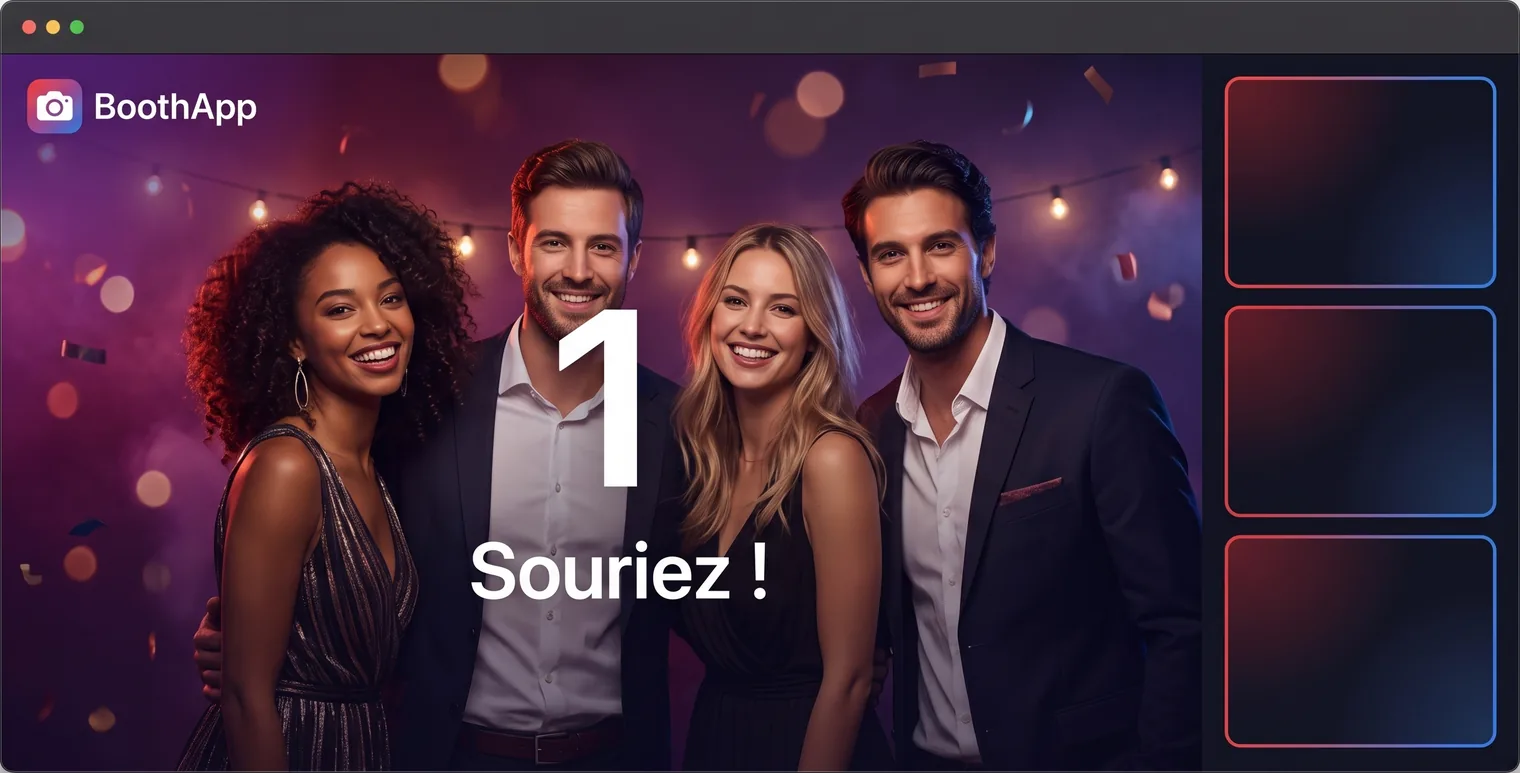
Photos, GIFs and Boomerangs, with a spoken countdown and seven filters. DSLR, GoPro or webcam.
A layer editor for the print template and the welcome screen: client logo, text, colours, paper size.
Printing, QR code, email and online gallery. On site with no network, or online if you switch it on.
Local and cloud
The app does not depend on the venue's network. Online services sit on top of it: gallery, web portal and mobile app.
Everything is processed on the booth's PC: shutter, layout, printing and on-site sharing.
iOS and Android mobile app, plus a web portal, on the same account as the booth.
Features
No booth feature is held back for a higher tier. What sets the plans apart is the number of booths and access to the online services.
Canon EOS controlled natively: live view, shutter and full resolution. The camera reconnects on its own.
Three capture modes. The welcome screen can let the guest pick their own.
Black and white, sepia, vivid, warm, cool, glam. Applied before layout, so they appear on the print and in the gallery.
4×6, 2×6, 4×4 and 3×2, plus the 2×6 strip doubled on 4×6 for cutting on dye-sublimation printers.
Guests scan and collect their photos, with or without a network in the venue.
Assisted entry on screen, immediate or deferred sending, offline queue.
One link per event, a retention period you set, and an automatic purge when it expires.
Locked full screen, exit with a PIN.
Interface and countdown in French, English, Spanish or Dutch.
Consent per event, purge after N days, photos kept on your machine and cloud data hosted in Europe.
The same editor dresses the idle screen: client artwork, welcome message, mode selection.
Photos, prints and emails counted per event, with a history for each client.
Customisation
A layer editor built into both the app and the web portal. Full control over the print: client logo, text, shapes, colours and paper size.
Printing
4×6, 2×6, 4×4 and 3×2 sizes, plus the 2×6 strip doubled on 4×6 for cutting on dye-sublimation printers. Quotas, queue and consumable levels are tracked in the app.
Remote control
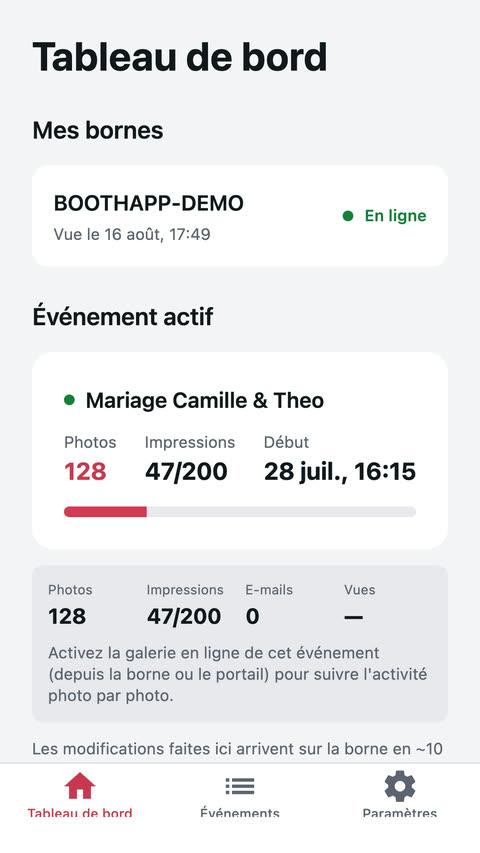
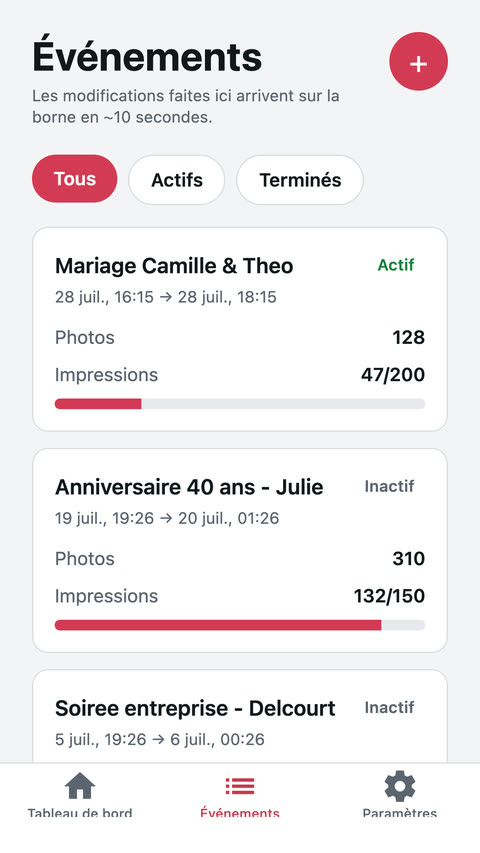
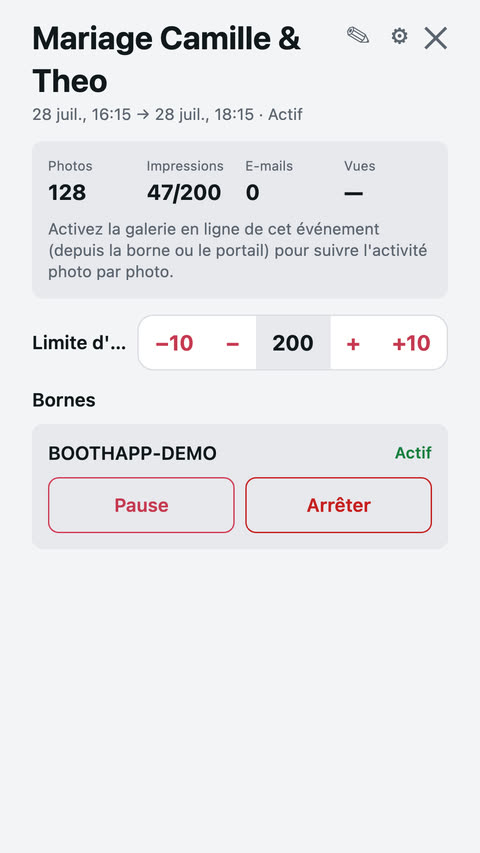
The mobile app and the web portal show the state of each booth in real time: online or offline, current event, photos, prints and quotas. Commands apply remotely.
Remote control requires a plan with cloud. The Local plan runs without any online service.
Web portal
app.boothapp.be, on the same account as your booths and the mobile app. Nothing to install: events, booths, clients, galleries and billing in one place.
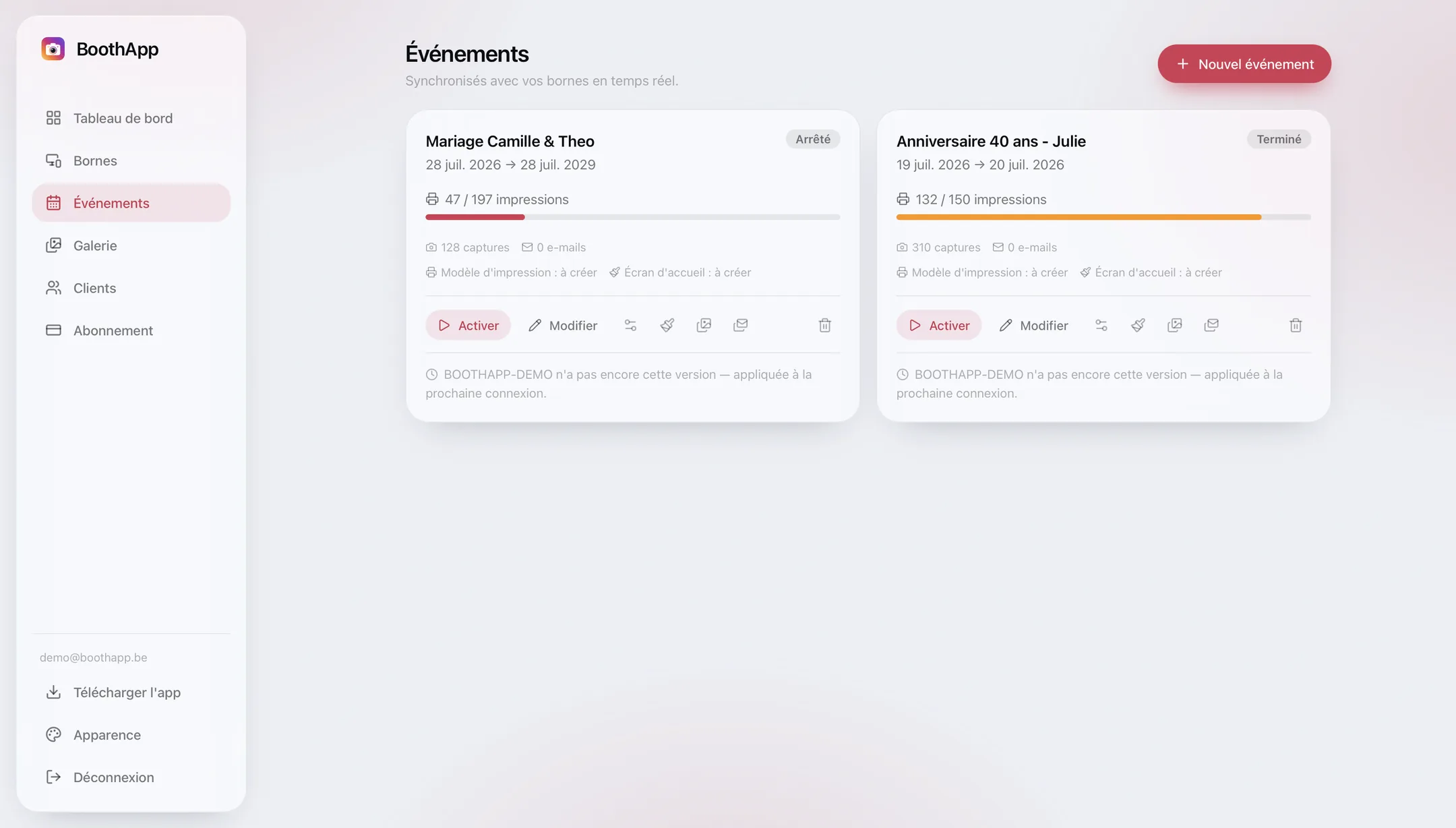
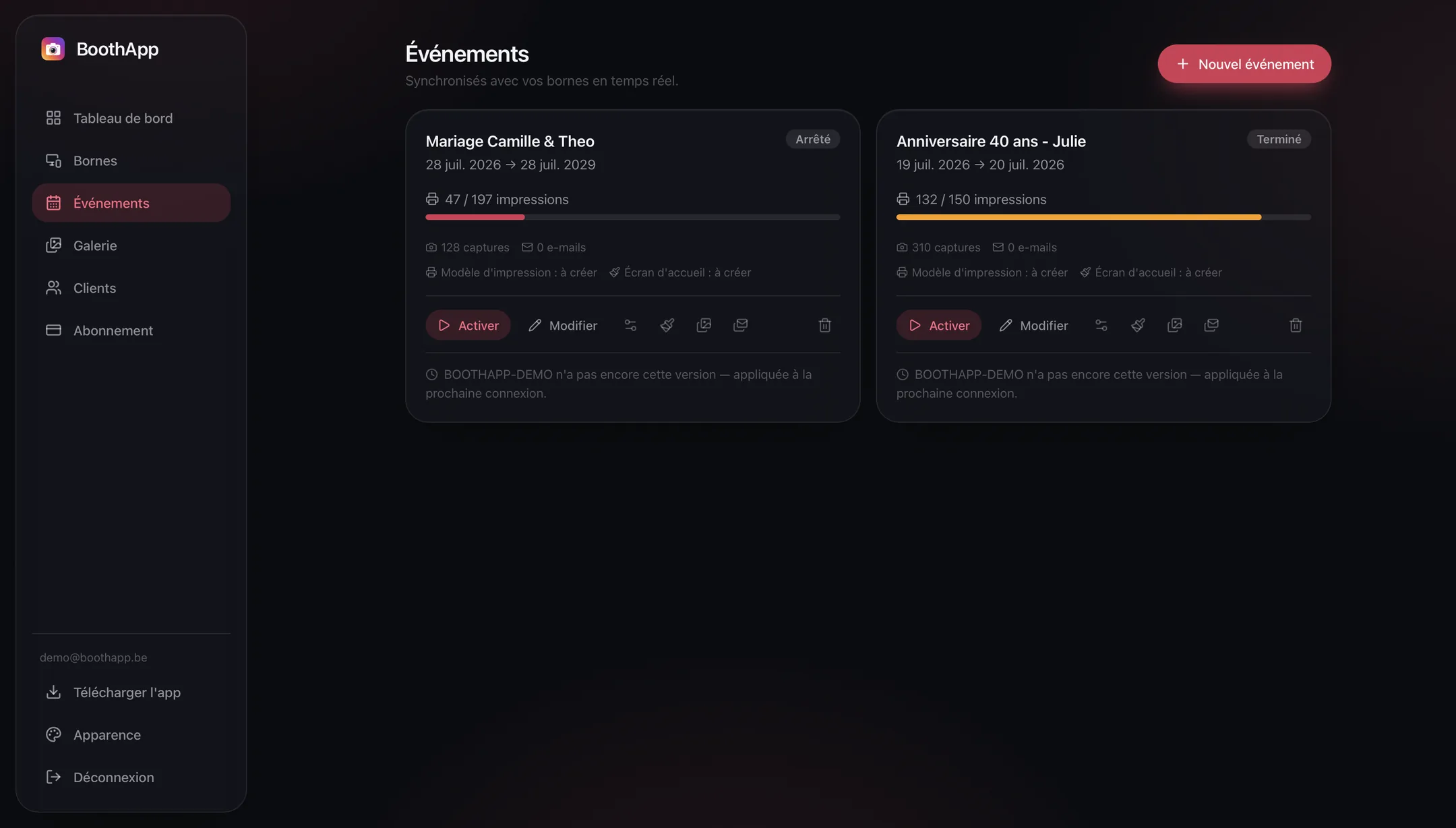
Creation, settings, quotas, sharing and consent — then pushed to the right booth.
Who is online, on which event, since when. Pause and stop remotely.
A record per client and a history of the events delivered.
Each event's link, its retention period and how much space it uses.
The same layer editor as on the booth, at your desk and with nothing to install.
Plan, booths included, invoices and payment methods.
How it works
A Windows installer, an account, and the booth is recognised automatically. No IP address or API key to type in.
Name, print template, quotas, sharing methods, GDPR consent. Set it from the booth, the web portal or the mobile app.
The booth switches to kiosk mode and runs session after session. Monitoring and controls stay available remotely.
Pricing
Every booth feature — capture, GIFs, filters, template editor, printing — is included in all of them.
To evaluate the app in real conditions
2 booths · no credit card
For operators running one event after another
i.e. €20/month · 2 booths included
For a single event, with no subscription
One-off payment · 1 booth
For anyone who refuses to let a single photo go online
Unlimited licences
Prices exclude VAT — the applicable VAT is calculated at checkout. Which plan fits your business?
FAQ
No. Capture, filters, GIFs, layout, printing, the on-site gallery and the QR code all run entirely on the booth. Without a network, only the online services wait: emails queue up and go out as soon as the connection returns.
A PC on Windows 10 or 11, a camera and, if you print, a photo printer. Webcams, GoPro and Canon EOS DSLRs are controlled natively; Nikon, Sony, Fujifilm and Panasonic work through the manufacturer's webcam utility.
The Pro plan includes two booths; beyond that, each extra booth is added to the running subscription, prorated and on the same cycle. The Local plan, on the other hand, is counted per booth licence.
On the booth, at your place. Whatever goes online — only if you switch on the event's gallery — is hosted in Europe, with a retention period you set and an automatic purge when it expires.
Nothing slams shut and there is nothing to cancel: with no credit card, there is no renewal. The booth keeps working locally; it is the online services that stop until you pick a plan.
Every feature, two booths, online services included. No credit card and no renewal.
Download for Windows No credit card · Windows 10 / 11 · Installed in minutes